Add a Classified Ad
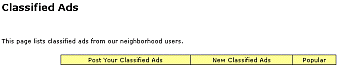
To add your Classified Ad, click on "Post your Classified Ads" at the top of the page.
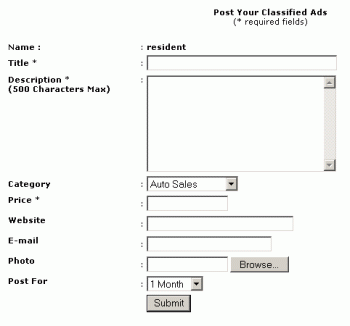
This will then display the following form where you can enter the details of your advert.
Your Name will be automatically filled in as your user name. Title: Give your classified a title, e.g. "Baby crib for sale" Description: Fill this in with a complete description of the item Category: Choose the most appropriate category from the drop down list. If you want additional categories, please contact your administrator Price: Type in the price you are seeking Website: If the item is presented on a different website then put the address here e-mail: Type in your email address here so people can contact you! Photo: Use the BROWSE button to find a photo on your hard disk and upload as part of this classified-ad. Post For: This determines how long the advert will remain in the database. At the end of the period, it will be automatically deleted. Submit: Click this button to submit your ad. What do you want to do?
|