Forgot your Password

 If
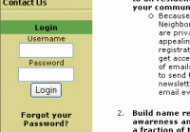
you have forgotten your password, you need to use the FORGOT YOUR
PASSWORD LINK which is below the login form. This is shown at the
foot of the home page menu. If
you have forgotten your password, you need to use the FORGOT YOUR
PASSWORD LINK which is below the login form. This is shown at the
foot of the home page menu.
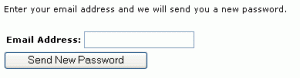 When
you click on this link, you will be asked to type in the email address
you used when you registered. When
you click on this link, you will be asked to type in the email address
you used when you registered.
A new password is then sent to your email address
Check you email for the new password.
Log in.
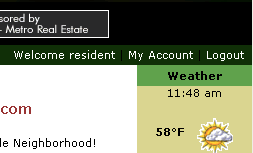 Now
you can click on the MY ACCOUNT link at the top of the page Now
you can click on the MY ACCOUNT link at the top of the page
Now you may re-set your password using the Change Password option.
Click here
for additional help
NOTE: Passwords are case sensitive.
What do you want to do?
Click here for the Main Help menu
|