Classified Ads and Resident Services
The Classified Ads (and Resident Services) allow registered members to post adverts for items and services.
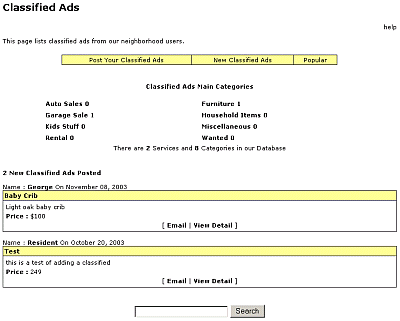
Although the data is different, the applications are the same. For the purposes of this HELP, we will use the Classified Ads application as the example. The Classified Ads page (below) shows all the current categories set up and the number of ads currently in each category.
The most recent ads are displayed on the front page of Classified Ads, the most recent at the top. CategoriesClassified Ads and Resident Services are organized by Categories. When a classified ad is added to the database, it is given a category chosen from a pre-defined list. NOTE: If you need more categories, ask you Site Administrator who can set these up for you. To view a Classified AdTo view Classified Ads, simply click on the category you wish to view. This will display all adverts available in the category. To view the detail of an advert, simply click on [View Detail]. To Search for a Classified AdTo search for a classified ad, simply type your search word in the search box at the foot of the page and press Search. To add your classified-ad
|