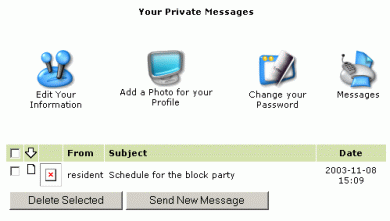
Private Messages
This function is like an email system just within your neighborhood. You need to know the user ID of the person you are sending to (lookup their name in the Members Directory), then you can send them private messages.
To access the Messages System, click on the "Messages" icon in the My Account area.
Follow these links for more help: What do you want to do?
|
 You
may send and recieve private messages to other Registered
Members of the Neighborhood.
You
may send and recieve private messages to other Registered
Members of the Neighborhood.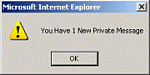 If you are sent a message, next time you login, you will see an
alert that says that you have messages waiting.
If you are sent a message, next time you login, you will see an
alert that says that you have messages waiting.