Adding to the Discussion
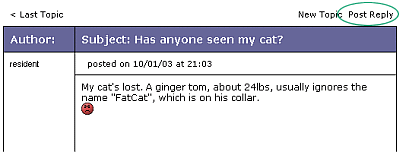
To add your comments to the discussion thread, you need to make a REPLY. In the example shown below, to add your comments to the discussion click on "Post Reply".
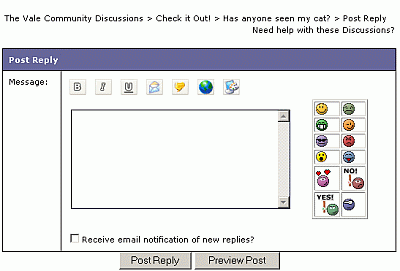
You will then be able to post a REPLY using the form shown below:
In this form, there is no title as you are REPLYing to an existing TOPIC.
Once you have filled in everything, make sure you PREVIEW before you post. NOTE: There is no spell check capability in the Forums!! NOTE: Once posted, Replys cannot be removed EXCEPT by the administrator - so make sure you say what you want to say!
Please use the "Check it out!" Forum to try it out!! If you have further issues or comments or need more help, use the feedback form to send us comments and requests
What do you want to do?View a Forum?
|