Change your Details
Using this form you may also add additional details about your proffesion, interests and also a message to anyone who looks at your profile in ther Members Directory. You may also elect to hide from public view your email address and also your telephone number.
Follow these links for more help: Change your Password What do you want to do?
|
 Click
on the "Edit Your Information" icon in the My Account section.
Click
on the "Edit Your Information" icon in the My Account section.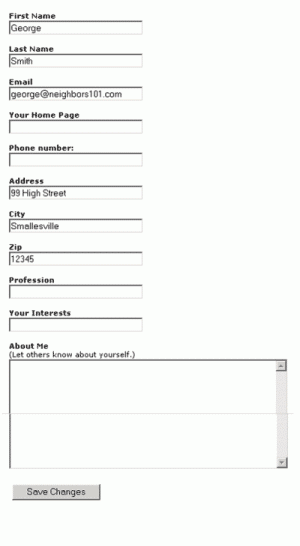 You
may then edit your contact information using the form shown.
You
may then edit your contact information using the form shown.